rapid_intake_rapid_interactive_elearning_developmentCreating Better eLearning Faster Using Form-based Instructional Templates
In an effort to meet the growing demand for e-learning course consumption, e-learning designers and developers have often turned to
PowerPoint conversion methods to try to scale e-learning course production.

rapid_intake_deploying_elearning_faster_with_better_course_reviewDeploying eLearning Faster by Using Web Technology to Compress Quality Assurance Testing Cycles
Project managers tasked with producing quality e-learning courses can achieve superior results faster by coupling web-based quality assurance technologies with improved “micro-cycle” processes.

wp-vlabsHands-on Experience with Virtual Labs:
Virtual production environments for safe, affordable technology training

Upcoming eLearning Events


320 Articles match "Adobe Captivate"

The Latest from the eLearning Learning Community

Thursday, July 29, 2010
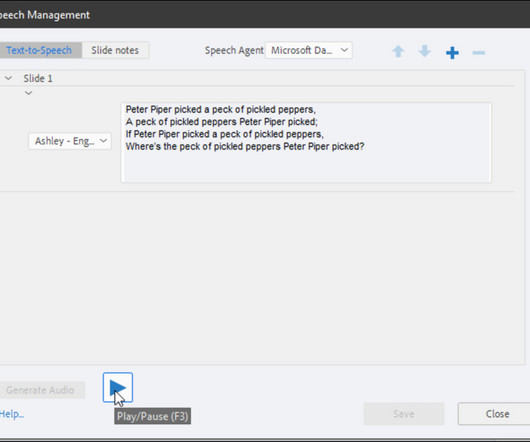
Captivate 4 introduced text to speech (TTS) technology in Rapid eLearning authoring. Given the adoption and feedback, in Captivate 5 we’ve introduced more voices. There were a couple of blog posts last year on tweaking the Captivate 4 voices ( VTML tags , User dictionary ). Avoid ambiguities.
 
Wednesday, July 28, 2010
The Captivate twitter widget is now live on Captivate exchange ! This widget provides a great opportunity for Captivate users to foray into collaborative learning and social learning. We first demonstrated the widget at last year’s Adobe Learning Summit. This widget will work with Captivate 5 (win and Mac).
 
Wednesday, July 28, 2010
Adobe Captivate (Development Tool). We provide training on Captivate for new users and specific considerations for George Washington University’s environment. We use this to permit sharing of the base Captivate file. Human resources: - A staff eLearning specialist serves as the primary support person and Captivate expert.
 

The Best from the eLearning Learning Community

Today's post covers importing and synchronizing audio with markers into Adobe Captivate. Tags: extracting regions Audio Sound Forge Narration Adding Markers rapid e-learning adobe captivate elearning development content Find out more.
If you are thinking about using Moodle and Adobe Captivate together one of the first things you need to take into consideration is the use of SCORM. Both Moodle and Adobe Captivate are SCORM 1.2 Click Here to view video instructions) Using SCORM with Adobe Captivate and Moodle: Turn on SCORM reporting in Adobe Captivate.
As I discussed in my post " Articulate, Captivate, Both, Or.? ", I have been using Adobe Captivate but would like something that integrates with Power Point and speeds up the development process. believe this may be due to Articulate producing a package of smaller files compared to Captivate publishing one big.swf file.
In our Essentials of Adobe Captivate online class we teach a lesson covering rollover captions. And to be honest, it's quite impossible in versions of Captivate older than version 4. However, in Captivate 4 this kind of interaction is quite possible. To prepare for the lesson, create a Captivate project.
I've been using Adobe Captivate for a while now and I am very happy with it for technical training projects but I can't help but wonder if other tools like Articulate may be a great addition to my toolbox. So, what do you think, is Articulate worth the investment when I already have Captivate?
In the previous two blog posts, I outlined – at a very high level - some of the features and functionality of TechSmith Camtasia Studio and Adobe Captivate, and in today’s post I will provide a. The E-learning Curve blog shares thought-provoking commentary and practical knowledge for e-learning professionals. Find out more.
I've just joined the group on LinkedIn called ' Adobe Captivate '. So far though, it looks like a really great group of supportive Captivate users. Their topics range from removing the company logo from published files, to help with screen resolution and Captivate 3 vs. debates. Schnicker.
was making a stupid mistake in Adobe Captivate 3 that was seriously affecting the performance of my eLearning tutorials. When I first started using Captivate I was under a tough deadline for my first project and did not have the time to take any classes or tutorials. I have a confession to make. bought a book and dove right in.
Many think of Captivate as a software simulation tool, and it does do this very well, with new features and improvements added over the years. However, Captivate is also a very effective tool for creating soft-skill simulations, quizzes, and other types of e-Learning applications. But wait, there’s more!
Adobe Captivate 7.2% Adobe Connect 1.4% Tags: Industry News authoring tools Articulate Adobe Captivate Design Course Building This one was released over a year ago in March 2009 so the figures may have changed a little, but this time they are in relation to eLearning authoring tools and who's using what. Schnicker.