| | Adobe + SWF | 114 articles |
| Page 1 of 2 | Previous | Next | ADOBE CAPTIVATE BLOG DECEMBER 18, 2011 SWF speaks to HTML page… through JavaScript! Most of us, sometime or the other, have had a need to manipulate the HTML page that contains the Captivate SWF file. The requirement may have been to display a custom message or change an image in the HTML page on click of a button inside the SWF. Training and Tutorials Whats new "Elearning authoring tools" Adobe Captivate Adobe eLearning Suite 2.5 This can be achieved by sending data [.]. eLearning this week Extending Captivate How do I. Advanced Actions eLearning HTML5 Rapid Authoring | ADOBE CAPTIVATE BLOG SEPTEMBER 8, 2010 FMR SWF Edit Till Adobe Captivate 4, Full Motion Recording (FMR) SWF editing feature existed as a separate application outside captivate. With Adobe Captivate 5 this feature has been integrated within captivate. If an FMR SWF is readily available, then inserting a blank slide and changing the slide background to the SWF using the property inspector would create an FMR slide. | | | | | | | I CAME, I SAW, I LEARNED APRIL 12, 2011 Adobe Captivate: Internalize or Externalize? The common way to publish a completed Captivate eLearning video is as a SWF (small web file). When the publish process is complete, you will end up with three files: an HTML file (which is what your learner will need to open the lesson in a web browser), a JavaScript file (called standard.js) and the SWF containing your lesson. Publish the lesson as a SWF. | I CAME, I SAW, I LEARNED MARCH 15, 2011 Adobe Captivate: When It Comes to Images, Choose Your Quality While your published SWF will be smaller when compared to using the other modes listed here, this setting will lower the quality of the published images so much, you may not like it. According to Adobe, "This option works well for most images and for all the screen recorded content, but can fail if the image contains too many colors or many colors with different transparencies." | I CAME, I SAW, I LEARNED NOVEMBER 1, 2011 Adobe Captivate 5.5: Lowering the Size of Published SWFs Fortunately, adding interactivity to a lesson does not negatively impact the size of the published SWF. Rather, imported assets such as audio, video and images are the main culprits behind SWF bloat. There are some things that you can do while working in Captivate that may lower the size of the published SWF. However, nothing will bloat a published SWF quite like audio. | I CAME, I SAW, I LEARNED OCTOBER 5, 2010 Adobe Captivate 5: Preload Your Corporate Brand The moment a learner clicks the link to start your eLearning lesson published using Adobe Captivate, you are in control over what the learner sees as they are waiting for the lesson to begin to play, and how long they have to wait before the lesson starts. In fact, the learner will have to wait for a specific percentage of the SWF to downloaded. The time it takes for that percentage to be reached depends on two things: the size of the SWF you published and the speed of the learner's internet connection. Looking to learn Adobe Captivate 5 ? by Kevin Siegel. | | | | | | | | | -
ADOBE CAPTIVATE BLOG | TUESDAY, OCTOBER 18, 2011 My date with Adobe Captivate 5.5 and Adobe Photoshop Lightroom 3… at HTML5 Restaurant! When I thought of creating some content in HTML5 for my iPad, the first thing that crossed my mind was Adobe Photoshop Lightroom 3. Extending Captivate Rapid Authoring Training and Tutorials Whats new "Elearning authoring tools" "Screen capture software" Adobe Adobe Captivate Adobe Captivate 5.5 captivate training HTML5 iPad publish to HTML5 rapid elearning authoring tools SWF to HTML5Photography is one of my hobbies and I’m sure it’s the same with some of you reading this post. MORE >> -
UPSIDE LEARNING BLOG | WEDNESDAY, JUNE 29, 2011 Flash to HTML5 – Swiffy From Google This has come just in time for mLearning implementers; there is a new tool out in Google Labs called Swiffy that let’s one convert flash animation ( swf files) to a device independent HTML5. This also helps us poor elearning developers circumvent the continuous war between Adobe and Apple over flash technology, and allow delivery across devices/platforms. Incidentally, Adobe had worked on just such a tool called Wallaby. We’ve been experiementing with Swiffy for a few hours now and it seems to do quite a decent job of converting SWF files. MORE >> -
I CAME, I SAW, I LEARNED | WEDNESDAY, JUNE 20, 2012 Adobe Captivate 6: HTML5 At Last! by Kevin Siegel You've probably heard by now that Adobe released Adobe Captivate 6 late last week. Currently the most common way to publish a Captivate project is as a Flash SWF, an excellent solution because SWF files can be used by the vast majority of the world's personal computers, browsers and operating systems. Your learners will not need Captivate installed on their computer to use a SWF, but they will need a modern web browser and the free Adobe Flash Player (www.adobe.com). This week, HTML5. MORE >> -
ADOBE CAPTIVATE BLOG | TUESDAY, SEPTEMBER 20, 2011 HTML5 Converter for Adobe Captivate 5.5 is here! I’m really excited to share with you that we have HTML5 Converter for Adobe Captivate 5.5 out on Adobe Labs. With the HTML5 Converter, you can easily convert Adobe Captivate generated SWF to HTML5 format and repurpose your countless hours of interactive trainings for your mobile devices that do not support Flash content. Rapid Authoring Training and Tutorials Whats new Adobe Captivate 5.5 Adobe eLearning Suite 2.5 Here’s the [.]. eLearning Suite Extending Captivate How do I. HTML5 Converter iOS iPad iPhone rapid elearning MORE >> -
I CAME, I SAW, I LEARNED | TUESDAY, SEPTEMBER 14, 2010 Adobe Captivate: Using Aggregator If you publish your Captivate projects as SWFs, you can combine multiple SWF files into one lesson using the Aggregator. Once added to an Aggregator project, you can publish the combined files as a SWF, EXE file, PDF or HTML. The published Aggregator file will include a TOC using the names of the separate SWF files. To ensure the uniformity of Table of Contents (TOC) settings across lessons, you can set any SWF in the TOC as the master. Tags: Adobe's Technical Communication Suite Captivate eLearning mLearning by Kevin Siegel. Publish the Aggregator project. MORE >>
- Adobe Captivate 6: Delivering Standalone eLearning Lessons I CAME, I SAW, I LEARNED | TUESDAY, DECEMBER 18, 2012
- Adobe Captivate 6: High Fidelity PowerPoint Imports I CAME, I SAW, I LEARNED | WEDNESDAY, AUGUST 22, 2012
- What's Up With the "Enable SWF for conversion to iPhone application" Option? I CAME, I SAW, I LEARNED | TUESDAY, AUGUST 17, 2010
- Adobe Captivate & RoboHelp: Incorporate eLearning within a Help System I CAME, I SAW, I LEARNED | TUESDAY, MAY 14, 2013
- Adobe RoboHelp 8: eLearning & Help Join Forces I CAME, I SAW, I LEARNED | TUESDAY, SEPTEMBER 28, 2010
- Adobe Captivate 5/5.5: Removing The Web Page Margin I CAME, I SAW, I LEARNED | TUESDAY, JUNE 12, 2012
- Publish to iPhone – From Captivate 5 and eLearning Suite 2 ADOBE CAPTIVATE BLOG | MONDAY, SEPTEMBER 13, 2010
- Adobe Captivate 6: Best Practices for Creating Compliant eLearning I CAME, I SAW, I LEARNED | TUESDAY, NOVEMBER 27, 2012
- Adobe Captivate 6: Scalable HTML Content I CAME, I SAW, I LEARNED | TUESDAY, OCTOBER 2, 2012
- Adobe Captivate 6: Best Practices for Creating Compliant eLearning I CAME, I SAW, I LEARNED | SATURDAY, DECEMBER 1, 2012
- Adobe Captivate: Repurpose Preferences I CAME, I SAW, I LEARNED | TUESDAY, MAY 21, 2013
- Adobe Captivate: Force Re-Publish I CAME, I SAW, I LEARNED | TUESDAY, MARCH 13, 2012
- Solution for Adobe Captivate 4 AS3 aggregated SWF not working on Latest Flash Player (10.1.102.64) ADOBE CAPTIVATE BLOG | MONDAY, NOVEMBER 22, 2010
- Captivate Training: Customizing the Project Interface with Adobe Captivate 5 ADOBE CAPTIVATE BLOG | TUESDAY, APRIL 12, 2011
- Convert Your Cool Captivate Quizzes to HTML5 Format! ADOBE CAPTIVATE BLOG | THURSDAY, NOVEMBER 10, 2011
- Adobe Captivate 6: One Quick Way to Purge Unsupported HTML5 Objects I CAME, I SAW, I LEARNED | WEDNESDAY, SEPTEMBER 12, 2012
- Adobe Captivate 5.5: Flash Player Version Aversion I CAME, I SAW, I LEARNED | TUESDAY, OCTOBER 4, 2011
- High Fidelity Support for Microsoft® PowerPoint Files in Adobe® Captivate 6 ADOBE CAPTIVATE BLOG | MONDAY, JUNE 25, 2012
- Discovering Adobe InDesign for eLearning INTEGRATED LEARNINGS | THURSDAY, AUGUST 30, 2012
- Synchronizing Audio and Animation Timings with Adobe Presenter 7 ADOBE CAPTIVATE BLOG | FRIDAY, JUNE 10, 2011
- Publish with a Branded Template… Save time! ADOBE CAPTIVATE BLOG | TUESDAY, FEBRUARY 28, 2012
- Adobe Builds Rome in a Day I CAME, I SAW, I LEARNED | WEDNESDAY, OCTOBER 27, 2010
- Apple Vs Adobe: Impact On Mobile Learning Development UPSIDE LEARNING BLOG | WEDNESDAY, APRIL 14, 2010
- Flash development with open source tools THE KNOWLEDGE SUPPLY CHAIN | MONDAY, SEPTEMBER 14, 2009
- Get Adobe Captivate 5 content with Text Animations working in latest Flash Player without republishing ADOBE CAPTIVATE BLOG | MONDAY, JANUARY 10, 2011
- Easily Add Flash Interactions to eLearning ELEARNING WEEKLY | WEDNESDAY, FEBRUARY 16, 2011
- Balancing image quality and SWF output size in CP 5 – 1 ADOBE CAPTIVATE BLOG | TUESDAY, JULY 27, 2010
- Small Microsoft PowerPoint & Adobe Flash Objects in Captivate 4 after Flash Player 10.1 Installation ADOBE CAPTIVATE BLOG | TUESDAY, JUNE 22, 2010
- Training: Using Multi-SCO Packager to Create a Single Course out of SCOs from Captivate, Flash and Dreamweaver ADOBE CAPTIVATE BLOG | TUESDAY, OCTOBER 11, 2011
- Convert Captivate Quizzes to HTML5 Format I CAME, I SAW, I LEARNED | TUESDAY, NOVEMBER 15, 2011
- Smokescreen – The Future Of Flash Player? UPSIDE LEARNING BLOG | WEDNESDAY, JUNE 9, 2010
- The Open Screen Project – Will It Succeed? UPSIDE LEARNING BLOG | MONDAY, MARCH 15, 2010
- Video Delivery Types in Captivate ADOBE CAPTIVATE BLOG | TUESDAY, AUGUST 31, 2010
- Alternate Reporting – How to post results from SWFs launched locally ADOBE CAPTIVATE BLOG | WEDNESDAY, DECEMBER 8, 2010
- 15 Authoring Tools For mEnabling Your eLearning For iPads UPSIDE LEARNING BLOG | WEDNESDAY, JANUARY 30, 2013
- Importing SWFs to Captivate – Match the FPS! ICS LEARNING GROUP | TUESDAY, JULY 26, 2011
- A Few Great Captivate Tips ELEARNING WEEKLY | MONDAY, APRIL 14, 2008
- Captivate variables - how to access and control them from external movies. ADOBE CAPTIVATE BLOG | TUESDAY, SEPTEMBER 1, 2009
- All the amazing stuff that @JKUnrein shared in her talk today THE LEARNING GENERALIST | THURSDAY, MARCH 22, 2012
- Captivate Patch 5.0.2.630 ICS LEARNING GROUP | TUESDAY, JUNE 28, 2011
- New Tool: Create Awesome eLearning Interactions Online ELEARNING BROTHERS | THURSDAY, DECEMBER 16, 2010
- Future Of Flash Is Open Source UPSIDE LEARNING BLOG | WEDNESDAY, JULY 28, 2010
- Flash Player 11 Security Update ICS LEARNING GROUP | FRIDAY, FEBRUARY 8, 2013
- Mobile Courseware Development: Captivate 6 ICS LEARNING GROUP | TUESDAY, APRIL 30, 2013
- TechSmith Camtasia Studio 8: One Smart Player I CAME, I SAW, I LEARNED | FRIDAY, FEBRUARY 1, 2013
- A simple interactive learning object E-LEARNING PROVOCATEUR | TUESDAY, SEPTEMBER 27, 2011
- Elearning applications EFRONT | WEDNESDAY, JANUARY 5, 2011
- Expectations From eLearning Authoring Tools UPSIDE LEARNING BLOG | WEDNESDAY, JUNE 30, 2010
- Manic Ramblings from a Vendor Conference IN THE MIDDLE OF THE CURVE | WEDNESDAY, JUNE 13, 2012
- eLearning Suite Workflow eSeminar ADOBE CAPTIVATE BLOG | MONDAY, SEPTEMBER 13, 2010
- How to Embed Almost Anything in your Website TONY KARRER DELICIOUS LINKS | TUESDAY, JANUARY 6, 2009
- Yes, your Captivate Sim can drive your Lectora Course INTEGRATED LEARNINGS | TUESDAY, JUNE 22, 2010
- A Moment of Clarity for Mobility and Flash Development ICS LEARNING GROUP | MONDAY, NOVEMBER 14, 2011
- eLearning Mega Flash and PPT Temple Bundle ELEARNING BROTHERS | WEDNESDAY, DECEMBER 9, 2009
- Nearly Instant Download & Playback of Captivate Files Online ADOBE CAPTIVATE BLOG | MONDAY, JUNE 14, 2010
- Shifting to Adobe eLearning suite – reuse existing Articulate Engage and Quizmaker content ADOBE CAPTIVATE BLOG | TUESDAY, MAY 19, 2009
- Latest E-Learning Trends – Some good, some bad ELEARNING 24-7 | SUNDAY, MARCH 27, 2011
- Featured Online Classes I CAME, I SAW, I LEARNED | THURSDAY, FEBRUARY 3, 2011
- 2010: mLearning Year in Review MLEARNING TRENDS | MONDAY, DECEMBER 27, 2010
- extend google map widget, make it interactive ADOBE CAPTIVATE BLOG | SATURDAY, SEPTEMBER 12, 2009
- Rapid eLearning Through Software Simulations And Screencasts UPSIDE LEARNING BLOG | THURSDAY, JUNE 3, 2010
- WiZiQ - A Free Virtual Classroom Tool! ZAIDLEARN | SUNDAY, DECEMBER 23, 2007
- eLearning Development: 4 Tech Considerations When Using Videos UPSIDE LEARNING BLOG | TUESDAY, DECEMBER 15, 2009
- Developing An eLearning Player? UPSIDE LEARNING BLOG | MONDAY, APRIL 5, 2010
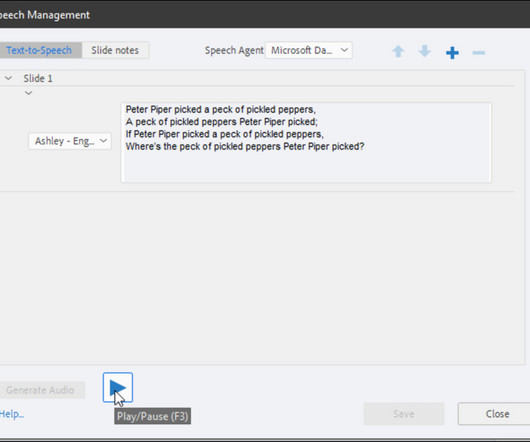
- Editing Text to speech text for Loquendo voices in Captivate 5 ADOBE CAPTIVATE BLOG | FRIDAY, AUGUST 6, 2010
- Directory of E-Learning Tools: Course Authoring Tools TONY KARRER DELICIOUS LINKS | TUESDAY, OCTOBER 12, 2010
- SyberWorks Media Center Presents New Article – “Deploying Online Courses with Video” THE BOGGS E-LEARNING CHRONICLE | TUESDAY, MARCH 16, 2010
- White Label Social Networking Solutions Chart, Part II TONY KARRER DELICIOUS LINKS | WEDNESDAY, NOVEMBER 26, 2008
- My Top 10 e-Learning Tools ELEARNING CYCLOPS | SUNDAY, OCTOBER 11, 2009
- Development Tools - Should I Cut Out the Middle Guy? ELEARNING CYCLOPS | SUNDAY, FEBRUARY 7, 2010
- Frankenstein Course Development ELEARNING CYCLOPS | TUESDAY, NOVEMBER 16, 2010
- Adobe's Project Rome ELEARNING CYCLOPS | SUNDAY, OCTOBER 24, 2010
- Something You Won't See on The iPad ELEARNING CYCLOPS | MONDAY, APRIL 5, 2010
- Australia’s Nobel Laureates E-LEARNING PROVOCATEUR | TUESDAY, SEPTEMBER 27, 2011
- Adobe shows off Captivate 4 and the Adobe eLearning Suite STEVE HOWARD | THURSDAY, NOVEMBER 13, 2008
- Adobe eLearning Suite Announced STEVE HOWARD | TUESDAY, JANUARY 20, 2009
- Adobe Captivate 4 announced STEVE HOWARD | TUESDAY, JANUARY 20, 2009
- New Features in Adobe Captivate 4 STEVE HOWARD | FRIDAY, JANUARY 23, 2009
- Catching up with the week’s Adobe Captivate blog posts STEVE HOWARD | SATURDAY, FEBRUARY 7, 2009
- WiZiQ - A Free Virtual Classroom Tool! ZAIDLEARN | SUNDAY, DECEMBER 23, 2007
- Loan Officer Branching Conversation Simulation – Twitterpated with. TWITTERPATED WITH LEARNING | WEDNESDAY, DECEMBER 29, 2010
- Improving Unison — one step at a time RAPID INTAKE | THURSDAY, SEPTEMBER 25, 2008
- ProForm eLearning Studio for Camtasia RAPID INTAKE | MONDAY, DECEMBER 29, 2008
- New Features in Rapid Intake Unison RAPID INTAKE | WEDNESDAY, OCTOBER 28, 2009
- Unison Now Has Full PowerPoint Conversion RAPID INTAKE | WEDNESDAY, DECEMBER 9, 2009
- New Features in Rapid Intake Unison RAPID INTAKE | MONDAY, OCTOBER 18, 2010
- Options for Embedding Video IN a Document File THE KNOWLEDGE SUPPLY CHAIN | WEDNESDAY, SEPTEMBER 23, 2009
- Loading External SWF Files - ActionScript 3.0 THOMAS TECH TALK | TUESDAY, MARCH 9, 2010
- M-Learning: Landscape Changer: E-Reader ELEARNING 24-7 | FRIDAY, FEBRUARY 19, 2010
| |