|
|
Upcoming eLearning Events
71 Articles match "JPG"
See all articles with
"JPG"
The Latest from the eLearning Learning Community
|
Friday, June 25, 2010
Image - JPG, GIF, PNG, BMP, TIFF. The Revolution. Battlefield. Learning and all forms within are normally taken via your desktop computer and either hitting your company’s server with your browser or going to a hosted LMS vendor’s solution. Not exactly, interactive. Battle Plans. You may have even seen the graphs hitting the net.
|
|
Thursday, April 29, 2010
Since you can take any PNG, JPG, GIF, TIF or BMP and turn it into a custom Snagit stamp , we can use Ann's bacon graphics as custom Snagit stamps! I saw a t-shirt recently that said " Bacon Makes Everything Better ". Do you think that's true? If so, Snagit is about to get better. You can download a file of all the bacon stamps here (.zip
|
|
Friday, March 19, 2010
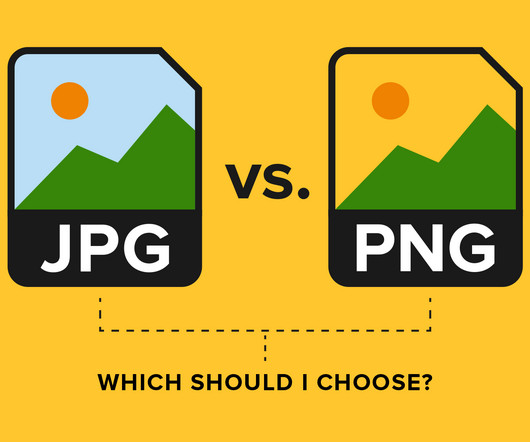
When delivering images online, you have three choices of bit-mapped image formats: JPEG (Joint Photographics Experts Group) – pronounced ‘jaypeg’ and sometimes shortened to just JPG. We reach the third stop on our tour of the elements that make up all our online communications with still images. What images are good for.
|
|
The Best from the eLearning Learning Community
|
•
Thursday, July 2, 2009
|
|
•
Wednesday, November 11, 2009
Import the.png, jpg, gif into PowerPoint for best quality. There are many things to think about when creating eLearning. There’s no way that I can mention all of them in this post but I’d like to mention a few that come to the top of my mind. Course Outline / Storyboarding. Know the audience. Find good SMEs. Keep it simple. tests.
|
|
|
|
•
Friday, September 11, 2009
Exports as JPG, BMP, or PNG (transparent or opaque). PrtScr is a free screen capture program. Here are some of its features: Captures full screen, rectangle selection, freehand selection, or active window. Can capture mouse cursor. Allows annotation over capture, with smooth, natural mouse drawing.
|
|
•
Friday, August 1, 2008
Input formats: Capture screenshots from your PC, or use images in BMP/JPG/PNG/TIFF/GIF formats. Links to follow. Download. UserForum. WinMorph. FrameServer. DebugMode. Latest news. Wink 2.0 build 1060 for Windows released! Get it here. Introducing Wink. Here is a sample Flash tutorial created by Wink. Sample: Click the green button to play.
|
|
•
Friday, November 6, 2009
Which leads somehow to two seemingly unrelated conversations: my wife asking if you can save an Excel chart as a JPG, and a colleague and I exchanging tweets about tutorials and about “fun in training. “Seemingly because the connection between the two is: accomplishment. No, not a JPG, but good enough for the outcome.
|
|
|
|