Upcoming eLearning Events


174 Articles match "Skype"

The Latest from the eLearning Learning Community

Tuesday, February 9, 2010

So far it resulted already in a great (Skype) meeting with John Smith, co-author of the book “Digital Habitats” .  After being “a friend” and lurking for a while, i became a full (paying) member of the CP Square (CP2) community. CP Square is a community of practice about communities of practice.
 
Sunday, January 31, 2010
We did, however, have an innovative post Mark Copeman at Being Smarter who created a mash up of Skype and his video program for an interesting discussion about the book tour itself. Week three was a bit hectic for the tour. First, Tony and I both had live appearances and then we had an early post, a post-poned post and a Saturday post...hectic hectic but exciting.
 
Thursday, January 28, 2010
including a player who “gets” it when it comes to where “LMS’s have to go now and down the road  – social integration tied to Twitter, facebook, Linkedin, Skype Plus unlimited Seats, plus Community page – photos, thoughts, plus the whole reg. As I was walking around the Expo floor yesterday, I was surprised by a LMS vendor that had some “What were they Thinking?”when 8221;when it came to features in their system.
 

The Best from the eLearning Learning Community

VuRoom enables Instant Multiparty Video Conferencing for Skype – an exciting new breakthrough, previously unavailable unavailable to Skype users. with ‘Skype version 3.0+ for Windows’ and ‘Skype version 2.0+ Just come across this ... "VuRoom Along with its multimedia presentations and desktop
For those who enjoy using Skype, the new beta 4.1 Skype 4.1 Rather than using track change bubbles to write every comment on a student’s paper, and/or following up with pre-recorded audio feedback, you can make abbreviated marks on the document and schedule an appointment to “meet” with the student via Skype. Skype 4.1 for Windows will include a screen-sharing feature — allowing users to share their desktop screen with any contact. beta screen capture
Skype is how our team talks every week for our team meeting, and it’s a great tool for quick questions of SMEs or other colleagues. Tags: Lifelong Learning Tools Captivate Diigo Sakai Google Docs Skype Jane Hart top ten tools Google Reader Wordpress Wikipedia Dreamweave 10 I’m updating my Top Ten Tools for Learning for Jane Hart’s Top 100 list.
Skype 4.0 Skype 4.0 for Windows has been released and now includes: bigger video better sound easier juggling of conversations for Windows ...Tags:
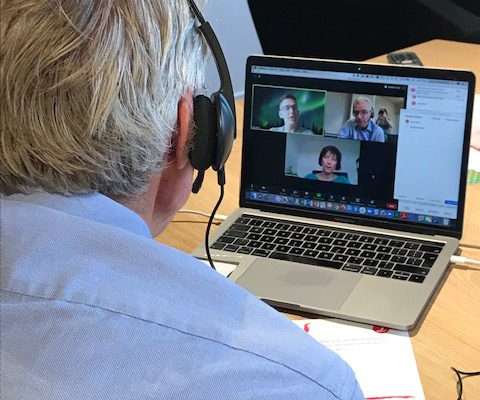
We pulled in six simultaneous feeds by running Skype video conversations within a session of Adobe Connect Pro. At Online Educa, Berlin last December, we wanted to show collaboration among the members of Internet Time Alliance rather than just talk about it. It turned out to be the first online conferencing in Educa’s 15-year history.
Skype Add me to Skype button http://www.skype.com/go/skypebuttons --> Scotts Workblog Skype http://www.skype.com/go/skypebuttons --> January 25, 2005 Future VLE - The Visual Version Rather than add a thousand words, heres my visual interpretation of a "VLE of the Future" realised with present technologies and services
Skype rocks!! I'm a late entrant to VoIP , and Skype's baptised me -- hell!! You cant make out the difference between Skype and a regular telephone call!! wish Dum had Skype installed at one of her PCs in Iowa. Skype is truly amazing!! © Free PC to PC calls and PC to phone calls at €10 for 10 hours!! Isnt that amazing?
I would expect the document to continue to grow and change, but thought it would be worth having it available in a text format as well (so I can find it when I need it). Screen-Sharing GoToMeeting ( link ) eBLVD ( link ) ConnectNow ( link ) Microsoft Shared View Crossloop ( link ) Yuuguu ( link ) WebExNow ( link ) LiveLook ( link ) Vyew ( link ) Glance ( link ) Yugma ( link ) Teamviewer ( link
Skype 4.0 If you don't know what Skype is, try it. is here and it's worth getting. So says David Pogue: http://tinyurl.com/d45o6w . It's FREE. It will let you connect with people over the internet in visual phone calls.
Skype SlideShare Google Carrying on from my previous post on “Learning Tools: for the Learner” Jane Hart has produced the following list for the best  tools for learning professionals (in no particular order) to help them create learning solutions: Delicious Twitter Skype SlideShare Google Delicious Twitter Skype SlideShare Google